Skip to Content
← All Odoo modules
Finance

Invoicing

✳︎ Invoices and payments

Send professional invoices with payment links and let the system chase the money: automatic follow-ups escalate politely until payment arrives. Online payments reconcile themselves, and customers see their documents in a portal.

INVOICE - SENT
INV/2026/0841CUSTOMERDUE DATEPAYMENT LINKPAID ✓SENT WITH A LINK - RECONCILES ITSELF
CUSTOMERDUE DATE
The polite money chaser

Most unpaid invoices are not disputes: they are forgetfulness, on both sides. Somebody forgot to send the invoice promptly, somebody forgot to pay it, and nobody enjoyed the reminder call. Odoo Invoicing removes the forgetting: invoices generate from sales orders the moment work is delivered, go out with a payment link, and the system follows up by itself.

The system chases the money so you don’t have to.

Follow-ups escalate politely by your rules: a friendly email at 7 days, a firmer one at 21, a letter or SMS when it matters. Online payments reconcile themselves, and customers see their whole document history in a portal instead of asking you to resend a PDF.
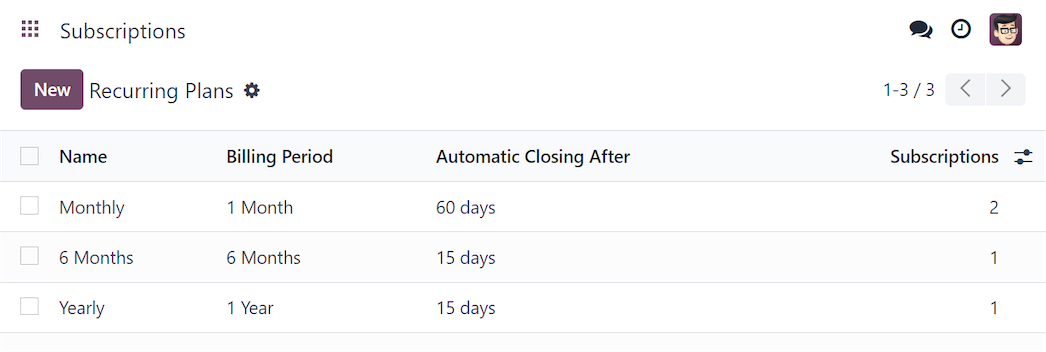
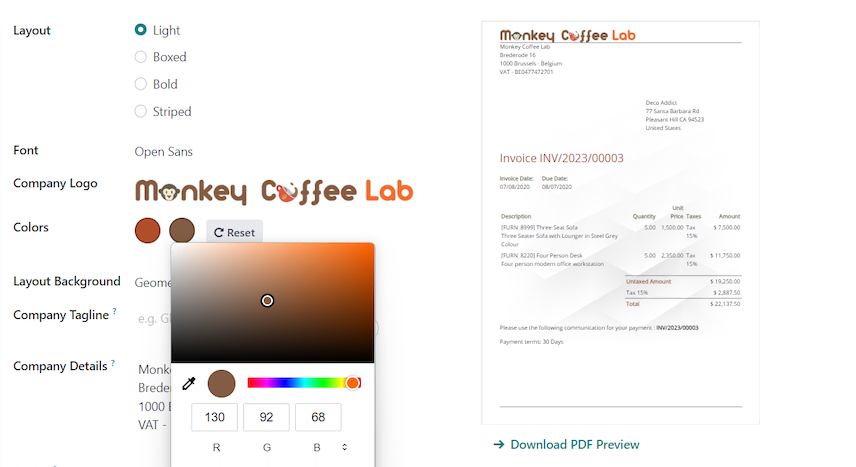
FIG.01 - THE FOLLOW-UP LADDER
DAY 7 · FRIENDLY EMAILDAY 21 · FIRM REMINDER ✓DAY 35 · LETTER / SMSTHE SYSTEM CHASES - POLITELY AND RELENTLESSLY
Technical drawing · automated follow-ups
How it works
the loop runs itself
STEP 01Invoice generated from the order
STEP 02Sent with a payment link
STEP 03Reminders escalate politely
STEP 04Payment reconciles itself
Day 0
invoices generate from orders the moment work is delivered
1 link
customers pay by card, transfer or QR-bill in one click
Auto
reminders escalate by days overdue: email, post or SMS
Portal
customers find every document themselves, no resending PDFs
Inside the app
SOURCE: ODOO.COM
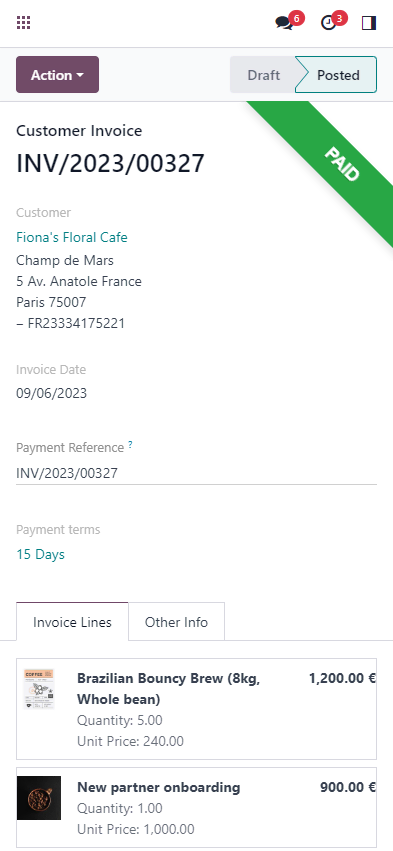
SCREEN 01 - RECURRING
Odoo Invoicing recurring invoices
Set an invoicing frequency once and recurring services bill themselves - subscriptions and retainers never slip.
SCREEN 02 - YOUR STYLE
Odoo Invoicing custom branding
Invoices carry your branding, not a template's - customized to your identity while staying legally clean.
SCREEN 03 - IN YOUR POCKET
Odoo Invoicing mobile app
Issue an invoice, update a payment status or batch vendor bills from the mobile app - anytime, anywhere.
Key capabilities
Spec sheet · 4 functions
Invoices generated from sales orders automatically
Payment links: cards, bank transfer, QR-bill
Automated payment reminders and follow-up levels
Customer portal with invoice history
In an ERPSWISS project
Part of our 7-step delivery
STEP 1Configure
We set up your invoice layouts, taxes, payment links and follow-up levels, QR-bill included for CH.
STEP 2Integrate
Invoices flow from Sales and reconcile against the bank in Accounting: cash collection runs itself.
STEP 3Train✳︎
Your team learns Invoicing in the training step of our 7-step journey, with your processes documented in your own Knowledge base.
Good to know

Odoo Invoicing: one module, one shared database, zero double entry.

Odoo Invoicing is one of the standard applications of the Odoo platform, part of the Finance family. Like every Odoo module, it runs on the same database as CRM, sales, inventory and accounting: information entered once is available everywhere, with no connectors, no sync jobs and no manual exports. Companies choose it to replace a patchwork of disconnected tools with one integrated system that is easier to maintain and cheaper to own.

In daily work, teams rely on Invoicing for: invoices generated from sales orders automatically; payment links: cards, bank transfer, qr-bill; automated payment reminders and follow-up levels; customer portal with invoice history. Because the module is part of the platform, every action leaves a clean trail for reporting: managers watch live dashboards instead of assembling spreadsheets, and the numbers stay consistent across departments and companies.

ERP SWISS is an official Odoo partner. We implement and configure Invoicing for companies in Switzerland, France, Germany, the EU and Armenia, including localization, data migration, staff training and long-term support. A typical implementation takes weeks, not months: we configure the standard module to your processes first, and add custom development only where it truly pays off. Book a free demo to see it on your own scenarios.

See Invoicing working on your own processes: on a free demo.
Book a Demo